Basic controls
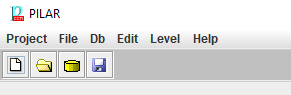
Top menu PROJECT
|
|
Starts a new project from scratch |
|
Reopen |
Returns to recent projects |
|
|
Reloads project from external source |
|
|
Saves current project either in a file, or in database (according to its source). |
|
Import (xml) |
Imports data in XML format. See https://www.ar-tools.com/doc/ |
|
Export (xml) |
Exports project data onto XML format. See https://www.ar-tools.com/doc/ |
|
Translation |
You may generate a translation table or apply a translation table. See [[translation]] |
|
|
Saves project, and terminates |
|
|
Terminates without saving data |


Top menu FILE
|
|
Starts an existing project from a file |
|
|
Imports data from another project on top of this one. |
|
|
Saves a copy, where the user may select the file, and establish a password |
|
save subsets |
An XML file is generated. It collects the dimensions, classes, threats, and valuation criteria that have been marked as OFF. Later on, this XML file may be referenced from a configuration file (.car) and PILAR will start excluding those elements. subsets = subsets.xml |


Only if the license enables SQL support.
Database tables are described in a separate document.
See https://www.ar-tools.com/doc/
|
|
Starts an existing project from a database |
|
|
Imports data from another project on top of this one, reading from a database |
|
Save as ... |
Saves a copy, where the user may select the database |


Top menu EDIT
|
Preferences |
sets font size and family. |
|
Options |
see [[options]]. |
Top menu LEVEL
|
Basic |
Only basic options, with the aim of simplifying life to early users. |
|
Medium |
Somewhere in between basic and expert |
|
Expert |
All the options are shown |
|
help |
starts the in-line help pages |
|
about PILAR |
shows version information |
|
last version? |
connects to PILAR web site to check for updates |
|
system status |
presents current usage of system resources |
|
|
Starts a new project from scratch |
|
|
Starts an existing project from a file |
|
|
Starts an existing project from a database |
|
|
Saves current project either in a file, or in database (according to its source). |


