Assets / Security domains
This screen allows to inspect, assign, remove, and validate the association of assets to security domains, as well as to identify the assets in each domain.
Left tree displays the assets.
On the right there are several columns, as many as security domains, presenting the belongship.
Example:
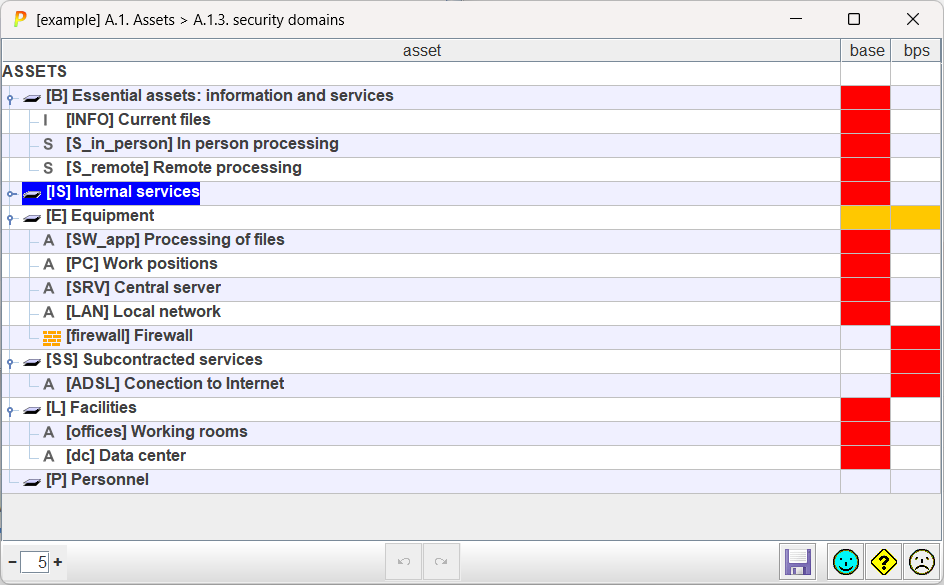
When an aset belongs to a security domain, the cell for the asset row, and domain column, becomes RED.
For the other domains, it is WHITE.
For asset groups or layers:
- RED if all assets in the group belong to that domain
- WHITE if no asset in the group belongs to that domain
- ORANGE if some assets belong to the domain, and others do not
You may click on the cell to change the assignment of the asset (row) to the security domain (column).