installation / installations
Installation copies PILAR files into a directory that
- is called according to the installed tool and version
- contains ALL the information to execute
This single-directory structure allows for several versions to be available simultaneously, and permits to make a backup copies to recover in the fure tha version used for an old project: just ZIP the directory, and backup the zip file.
This a typical installation of PILAR in a directory where the user has access rights

In this example,
- pilar_rm.exe is the executable
- CIS_en.car is the configuration file
You may install several configurations in the same directory

In this example,
- pilar_rm.exe is the executable
- CIS_en.car is the configuration file (English)
- STIC_es is the Spanish configuration file
You may aggregate as many configurations as needed using a single executable in a single directory.
You may also install several versions in separate directories
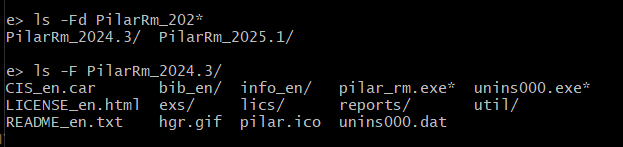
to execute PILAR, choose the appropriate EXE file for the needed SW version, and the appropriate configuration file.