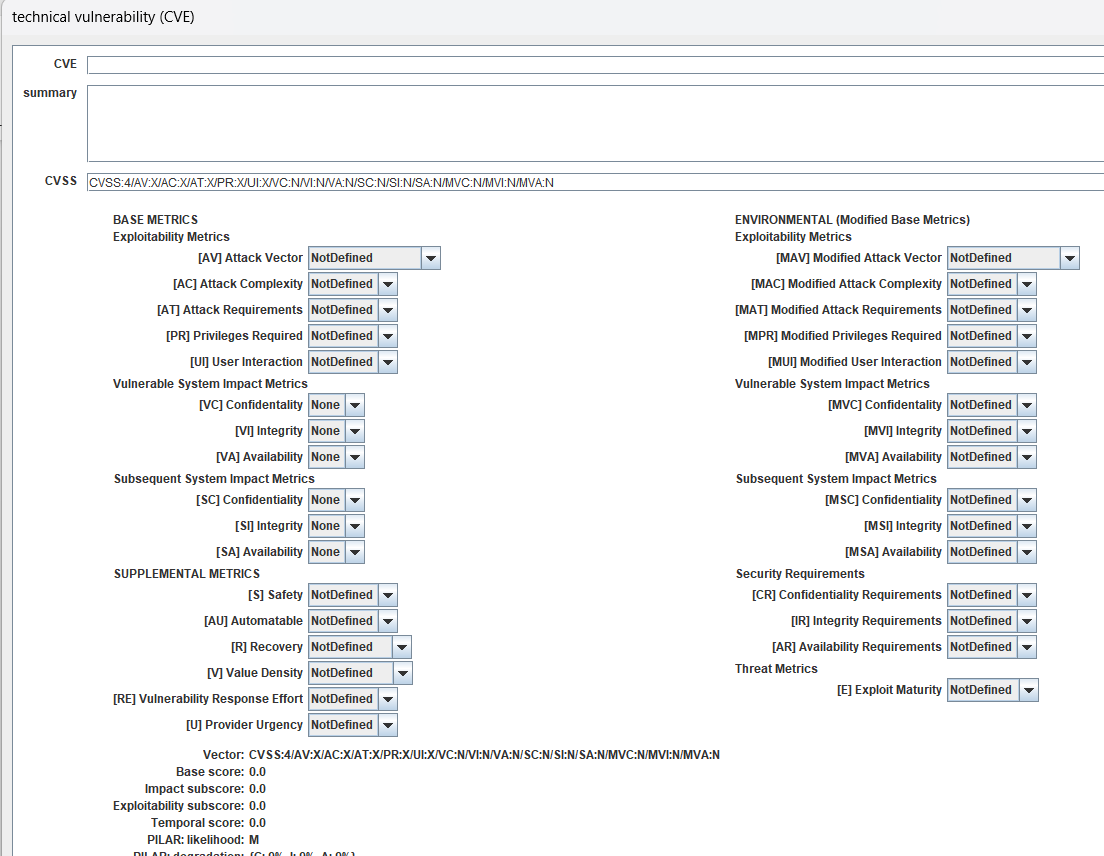
Technical vulnerabilities (CVE)
See
https://www.ar-tools.com/doc/
for information on CVE, and how PILAR uses them.
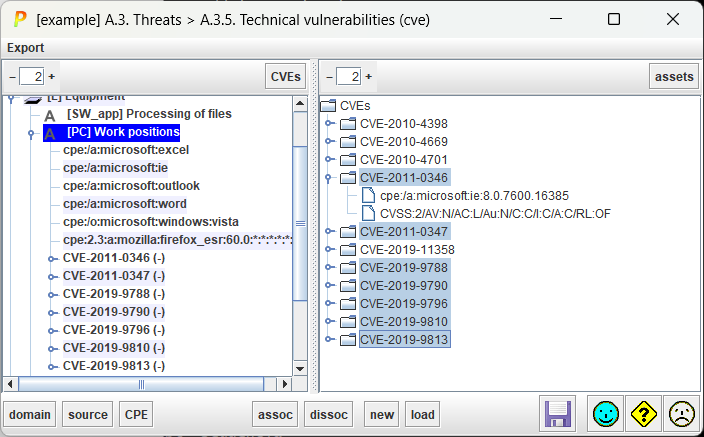
Left panel displays assets, and for each asset the CPEs and CVEs associated to it.
Right panel displays CVEs, and for each CVE, the CPEs and CVSS associated to it.
You may select assets by security domain.
You may select assets by information source.
You may select assets and CVEs by CPEs associated to them.
ASSOC
You may associate selected assets on the left panel to the selected CVEs on the right panel.
DISSOC
You may dissociate selected assets on the left panel to the selected CVEs on the right panel. You may also select a CVE on the left panel and dissociate it from its enclosing asset either by means of the DISSOCIATE button or DELETE button.
NEW
You may create new CVEs.
LOAD
You may load CVE info from external files using NVD format.
|
CVE feed CVEs may found at NIST National Vulnerability Database There you may list CVE details, and download data using JSON format; for example: https://www.cve.org/CVERecord?id=CVE-2025-21325 |
CVE association to phases
A CVE may be marked as active between two phases. Select one or more CVEs on left pannel (CVEs for an asset), and right click
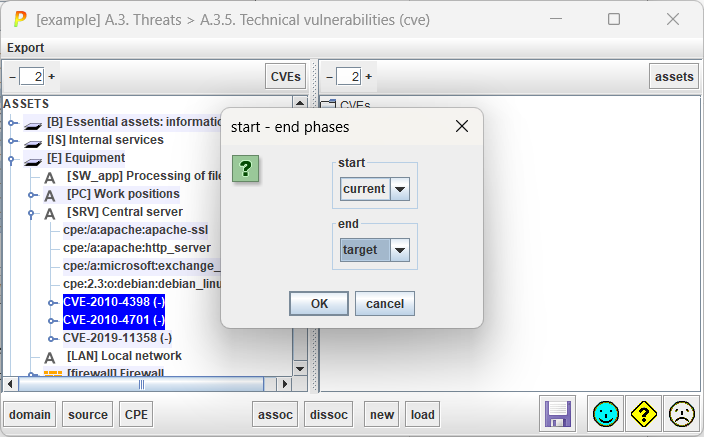
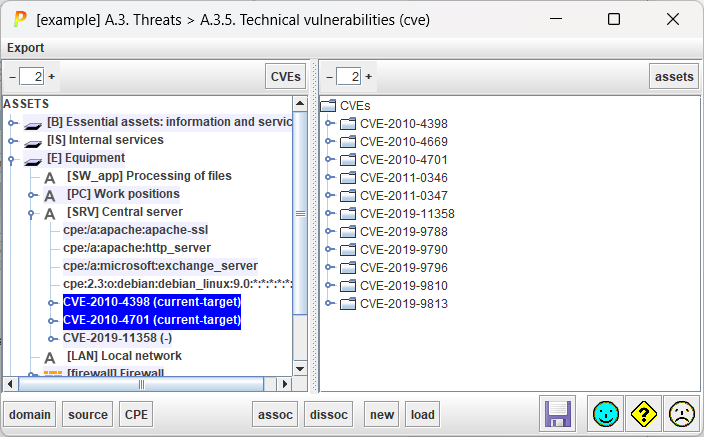
When start and end dates are marked, the risk associated with the ASSET-CVE only applies between the stated phases.
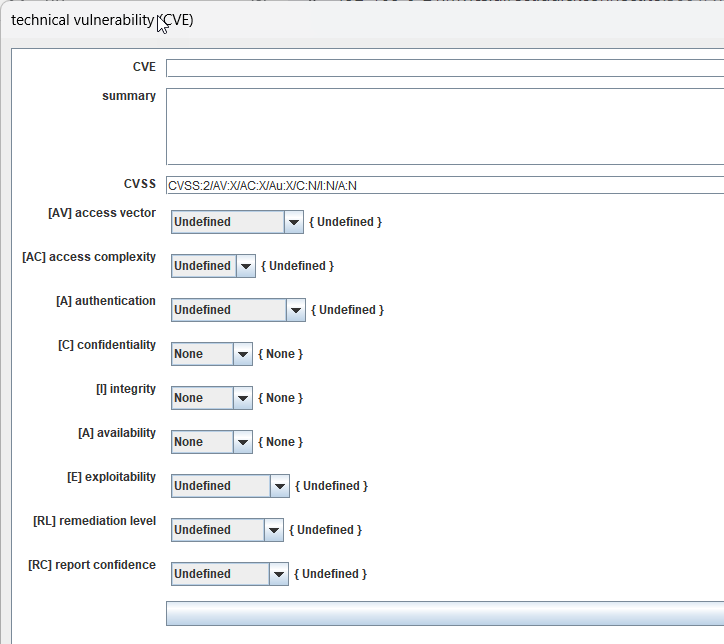
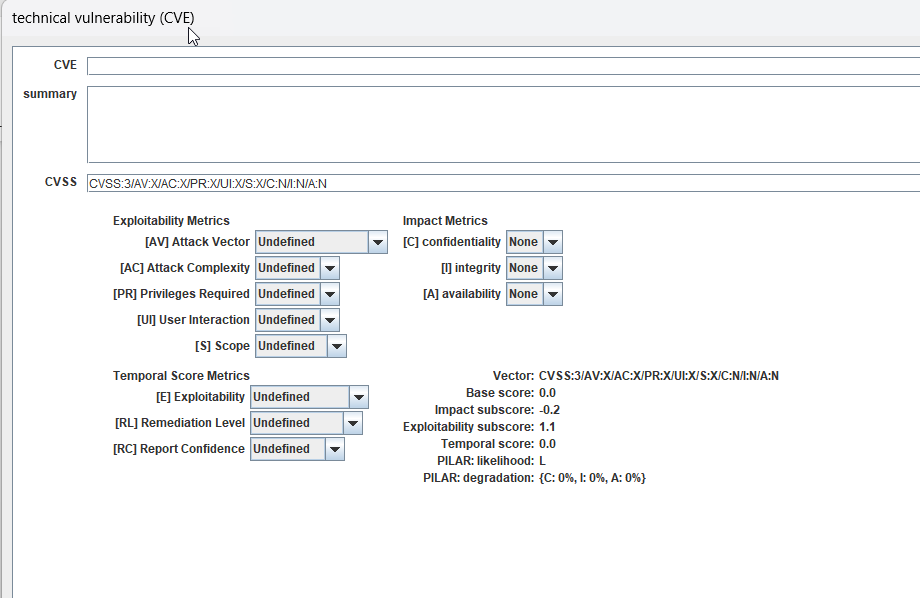
Edit CVE
You may edit a CVE by clicking on it on the right panel (and selecting the desired CVSS version) or by clicking on the CVSS vector on the right panel.
Edit CVE & CVSS:2
Edit CVE & CVSS:3
Edit CVE & CVSS:4 (under development)